1
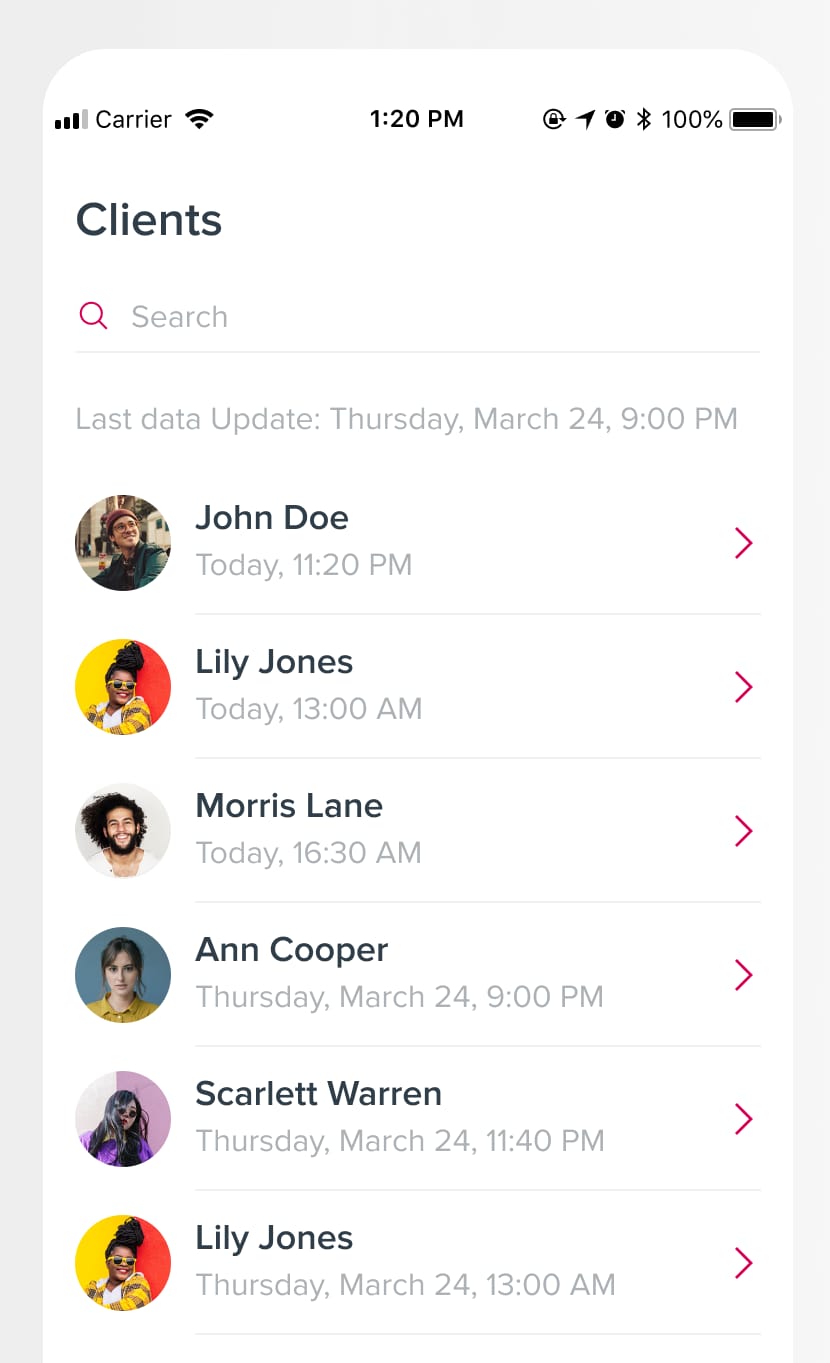
The list of clients
The medical worker logs in and sees the list of clients, with a search field. From the list, the worker opens each client's profile.
Cx360 EVV is an iOS and Android app for medical workers who visit patients with behavioral health needs at home. Built in Flutter on the client's API, it works with the company's admin panel: workers log in, track their location, open the client's profile, run the visit and document the services they provided.
Medical workers who visit patients with behavioral health needs had to document each visit and its results, and the company's admin panel needed that record.
The app had to work on both iOS and Android and talk to the client's existing API.
The medical worker logs in and sees the list of clients, with a search field. From the list, the worker opens each client's profile.
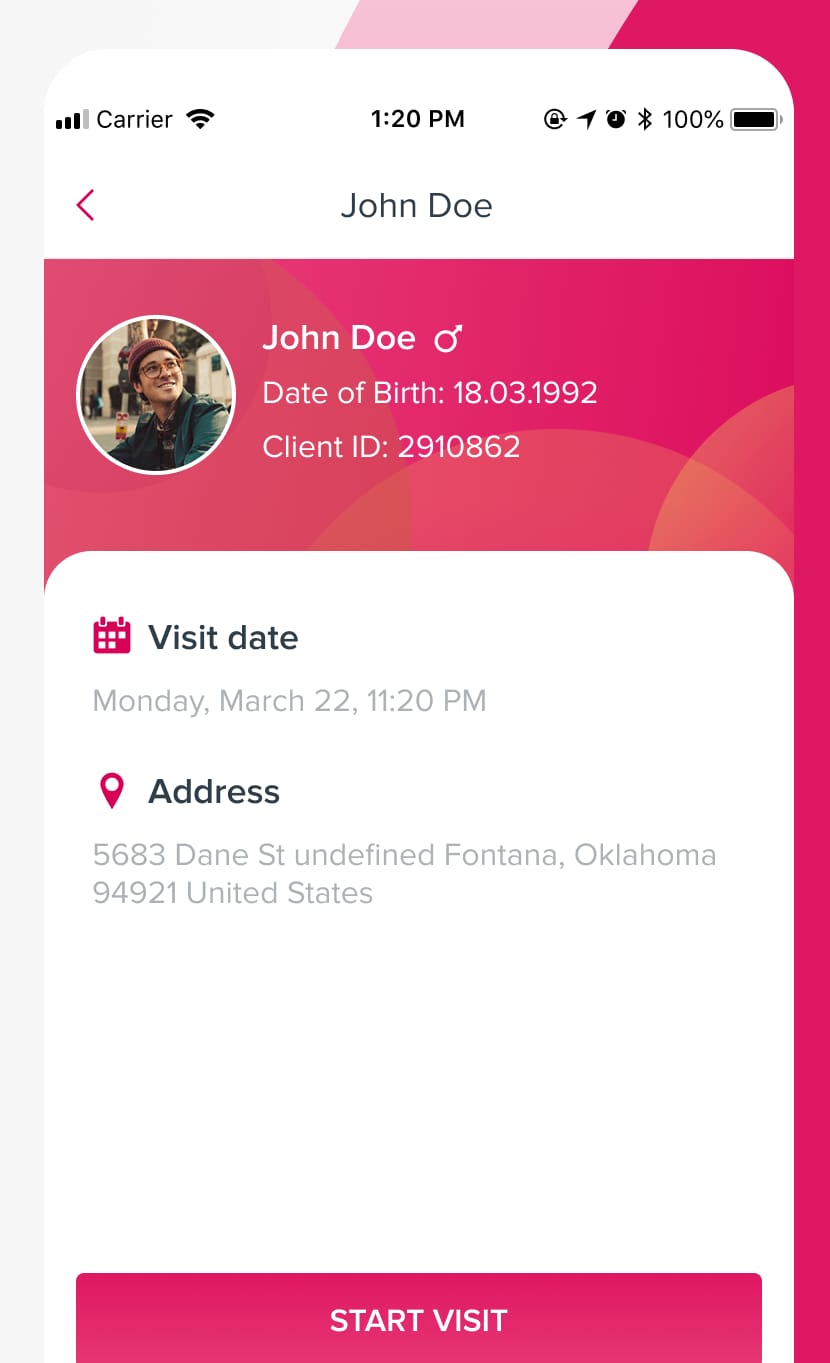
The profile shows the client's date of birth, client ID, visit date and address. The worker arranges the visit and starts it from here.
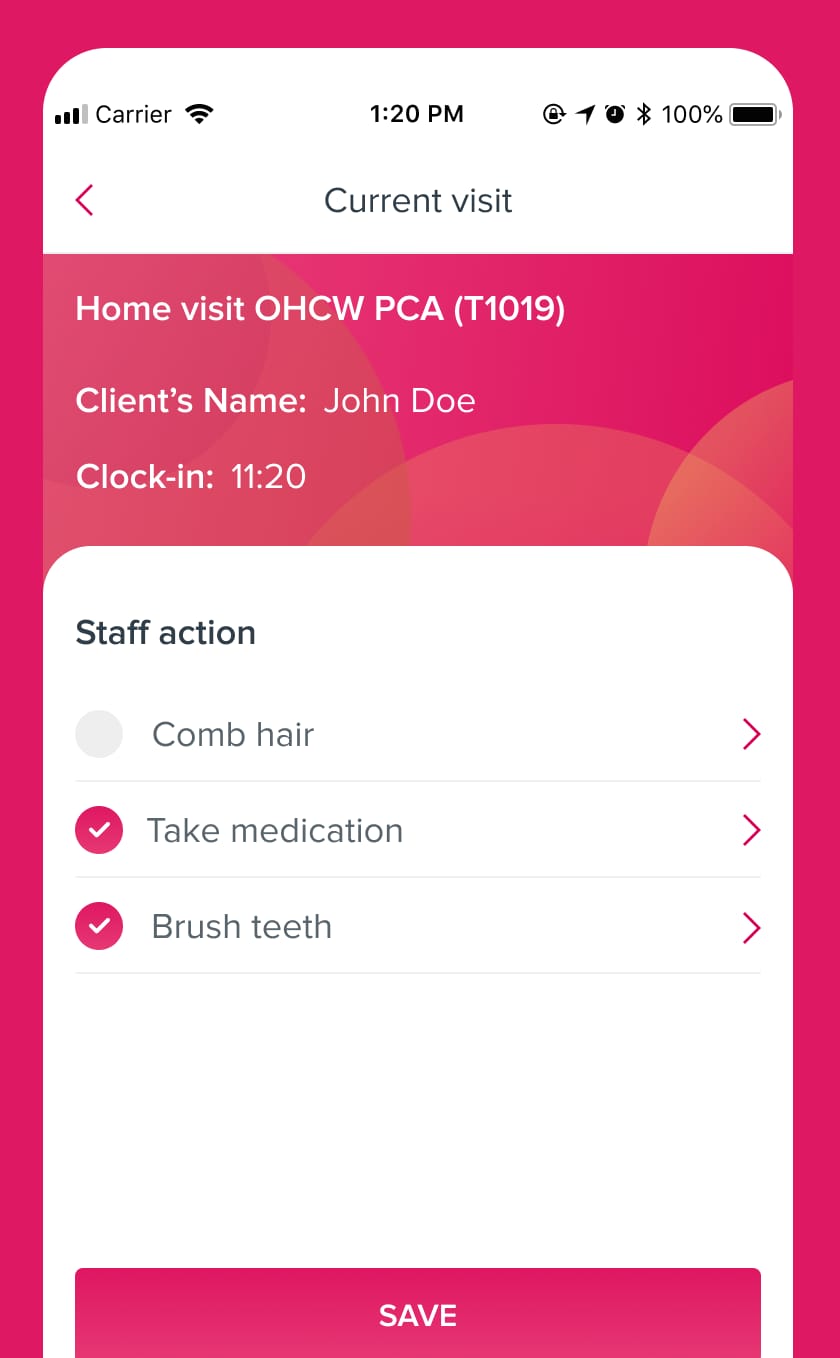
The current visit screen shows the service, the client's name and the clock-in time. The worker works through the staff actions, such as taking medication, and checks each one off.
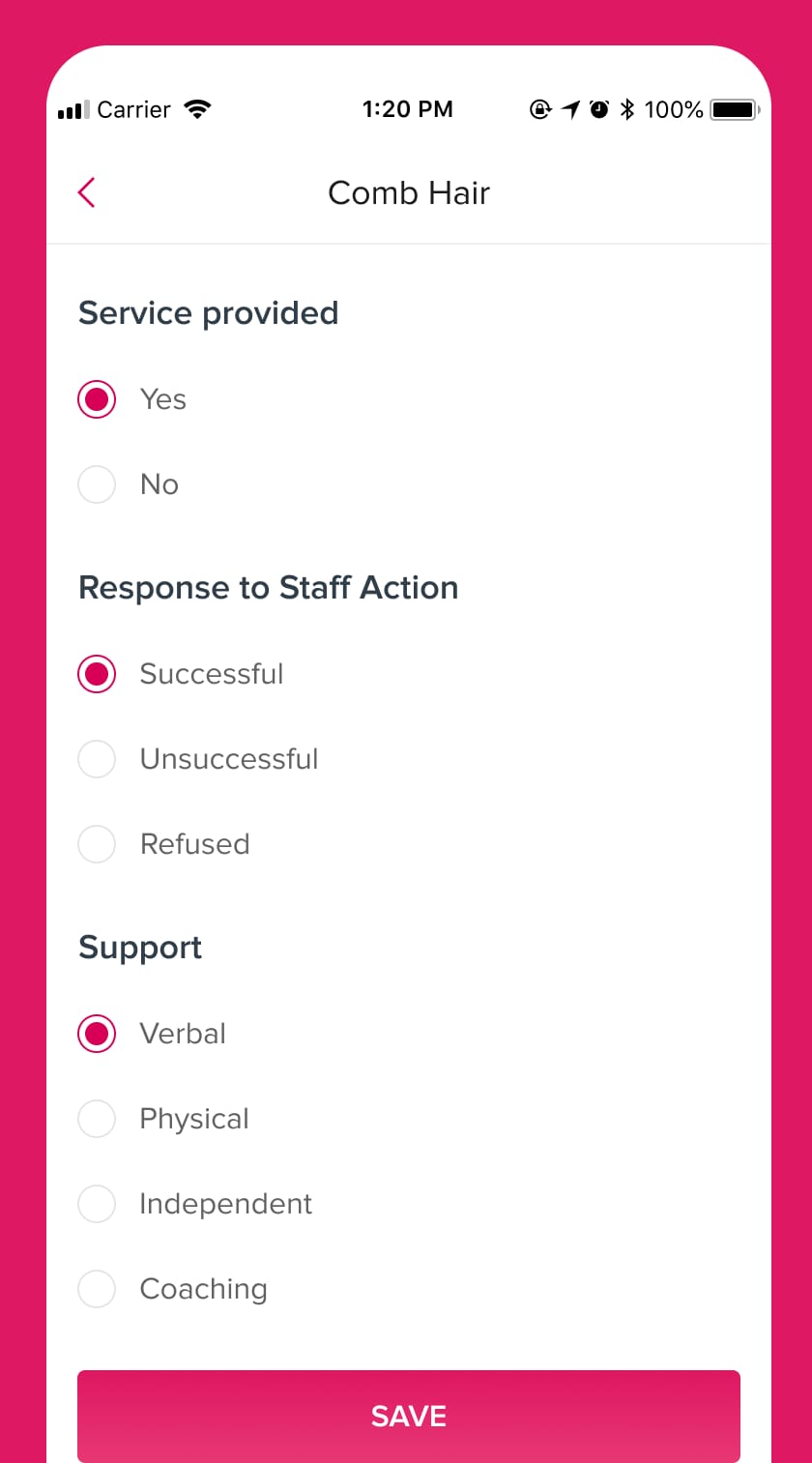
For every staff action, the worker records whether the service was provided, how the client responded and what support was given. The app keeps the list of provided services for the visit.
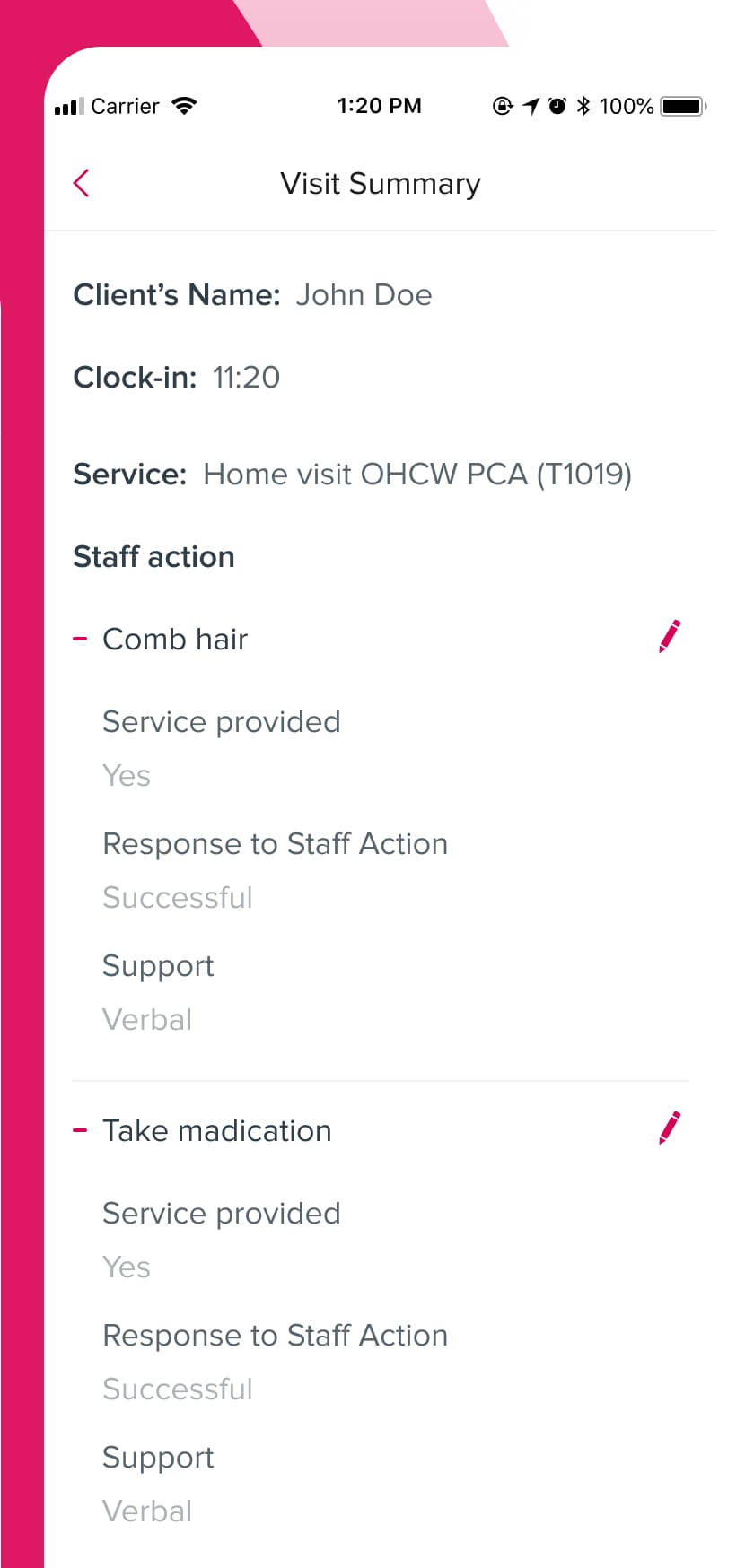
At the end, the app shows a summary of the visit: client, clock-in time, service and each staff action with its result. The app works along with the company's admin panel.
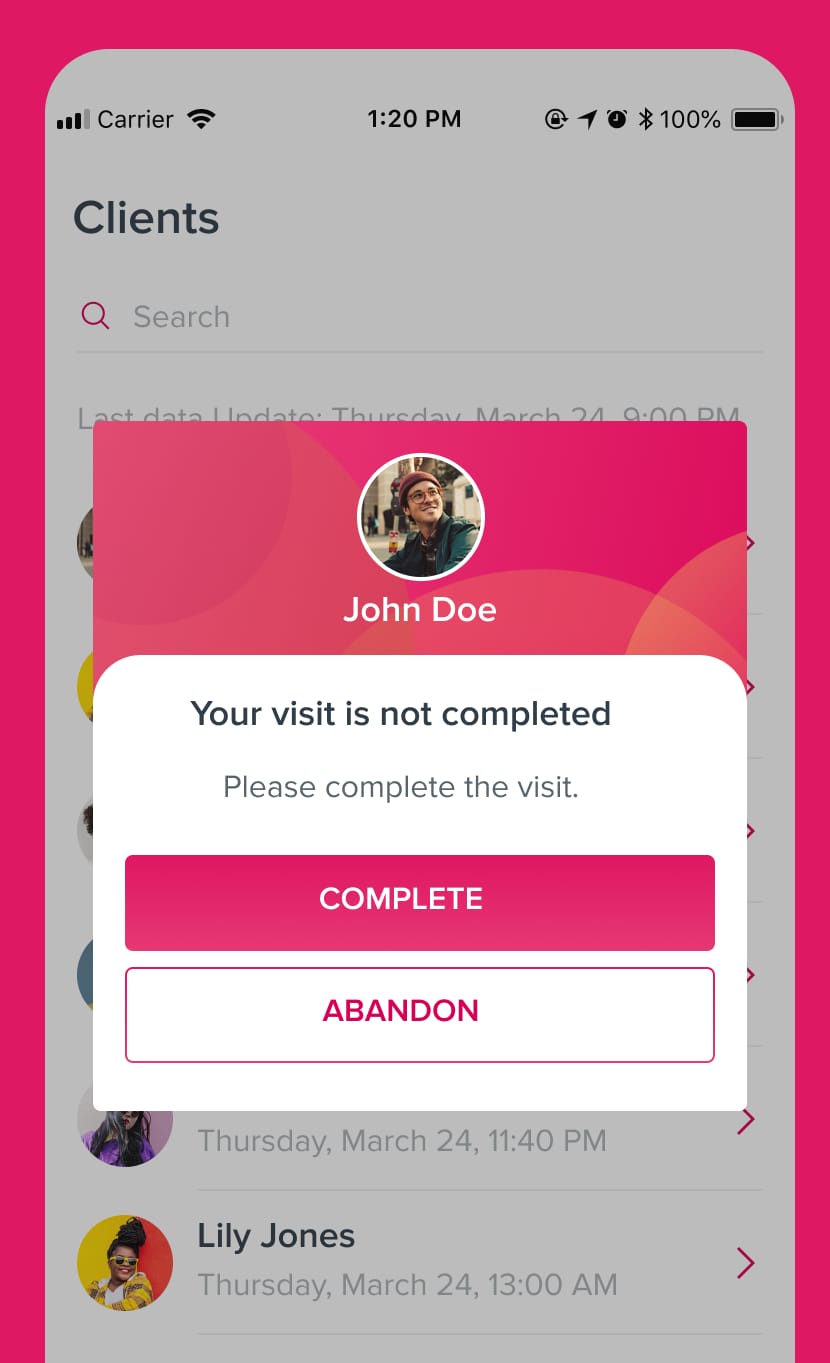
If a visit is not finished, the app tells the worker it is not completed and asks them to complete it. The worker can complete the visit or abandon it.

Real-time 3D incentive scenes driven by exhaled flow and volume, integrated into the Spirotrac .NET software over UDP and tuned for low- and mid-range PCs.
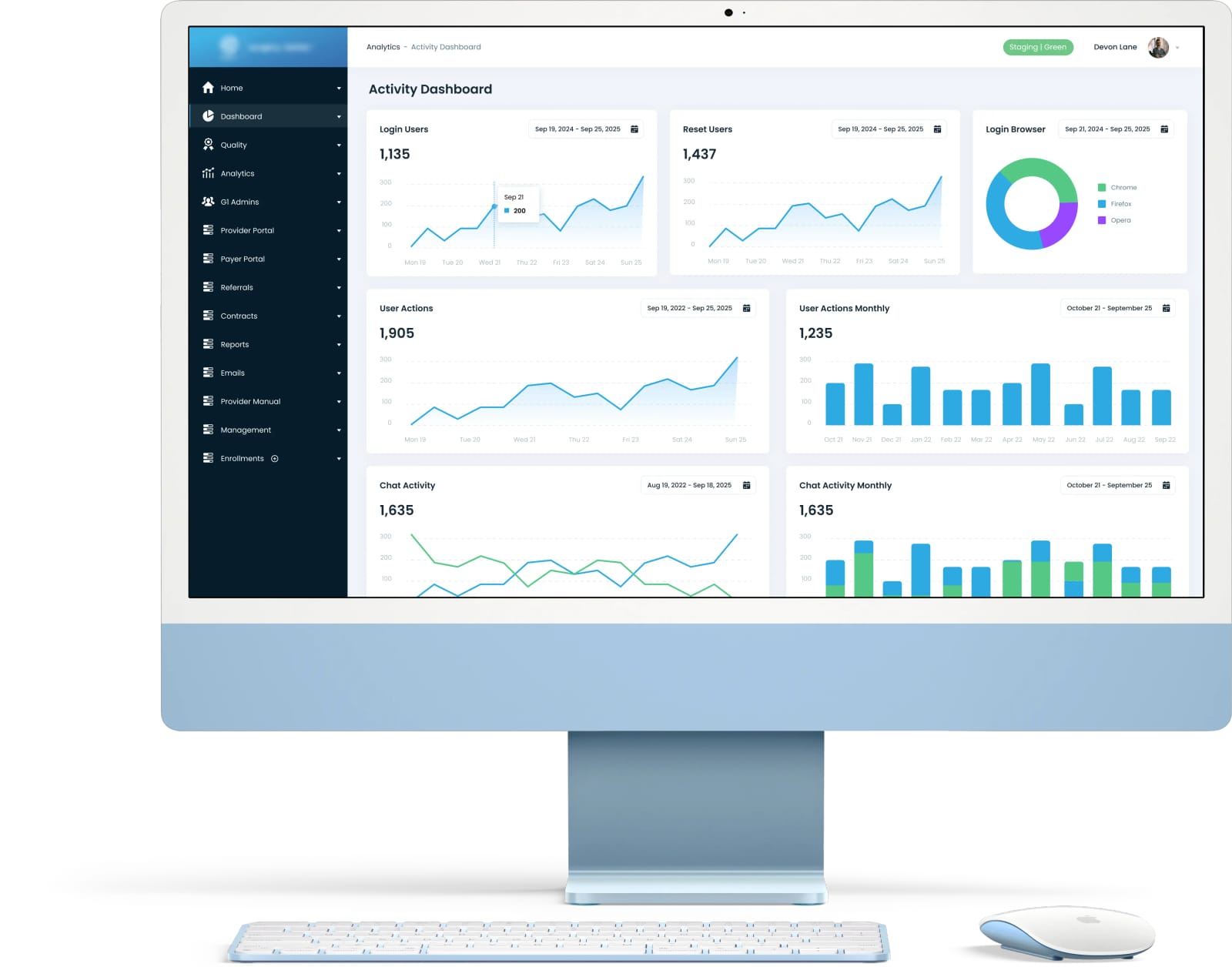
Self-service portal for healthcare providers in a state-wide network covering 120+ outpatient surgery centers. Claims and referrals 3× faster; 95% fewer inbound calls and emails.