Custom CRM in 6 months — off the per-seat treadmill, on a private server.

A California health-insurance company needed a CRM its account managers would use, without buying accounts and functionality from bloated off-the-shelf platforms. We built a custom, HIPAA-compliant CRM on a private server, with workflows mapped directly to the company's lead-to-customer process.

Client
USA
Duration
6 months
Team
5 specialists
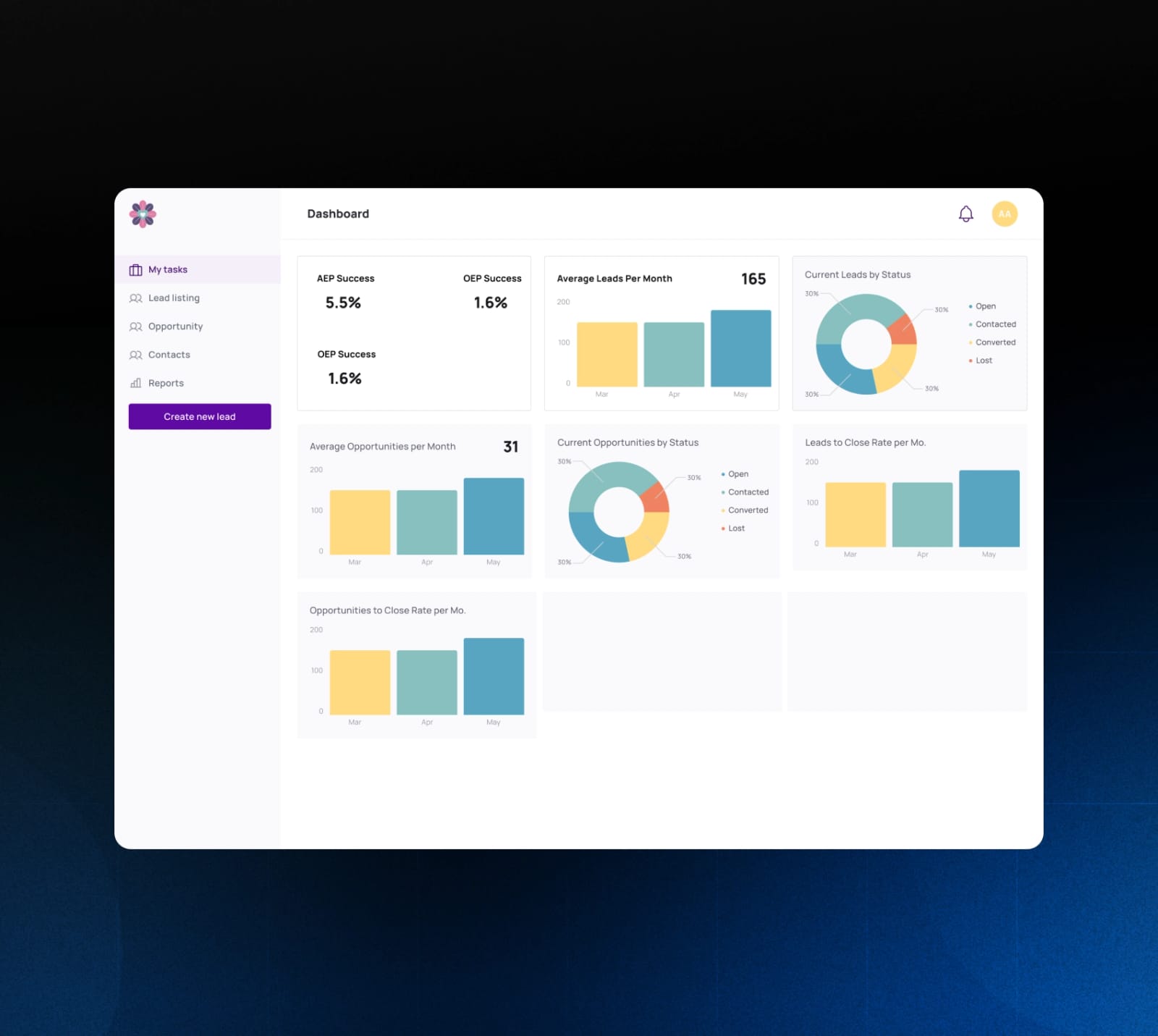
CRM dashboard with AEP and OEP success rates, bar and donut charts

Results

Instead of incurring hefty monthly fees for third-party CRM services, the client made a one-time payment for a lean solution they will use for years, paying only for hosting and maintenance.

6 mo
Jan 2023 → Jun 2023 delivery
0
monthly third-party CRM fees
5
specialists on the engagement
HIPAA
PHI handling on private infrastructure
  • The implementation and user onboarding were both easy.
  • The system reduces the need for manual data entry and thus errors.
  • The CRM speeds up lead processing and helps distribute the workload better.
  • The software has increased the insurance agents' productivity.

The challenge

The insurer's account managers needed a digital workflow for managing leads, opportunities, and customers, but off-the-shelf CRMs like Salesforce had bloated feature sets, and buying accounts and functionality from them was cumbersome and financially impractical.

The CRM would collect and store protected health information (PHI), so the system had to be HIPAA-compliant.

Agents work with insurance-specific data (Medicare Beneficiary Identifier, healthcare proxy, health plan, primary care physician, pharmacy) and managers track AEP / OEP results, so the system had to reflect the company's own business process.

What we built

  • Designed the data model around the insurer's own workflow: Lead → Opportunity → Contact (a customer who bought a health plan), with contact, convert, and lost status indicators
  • Built lead-capture from two sources: public web form with explicit consent capture, and manual agent entry
  • Implemented the principle of least privilege for system users, password rotation, and 15-minute idle logout
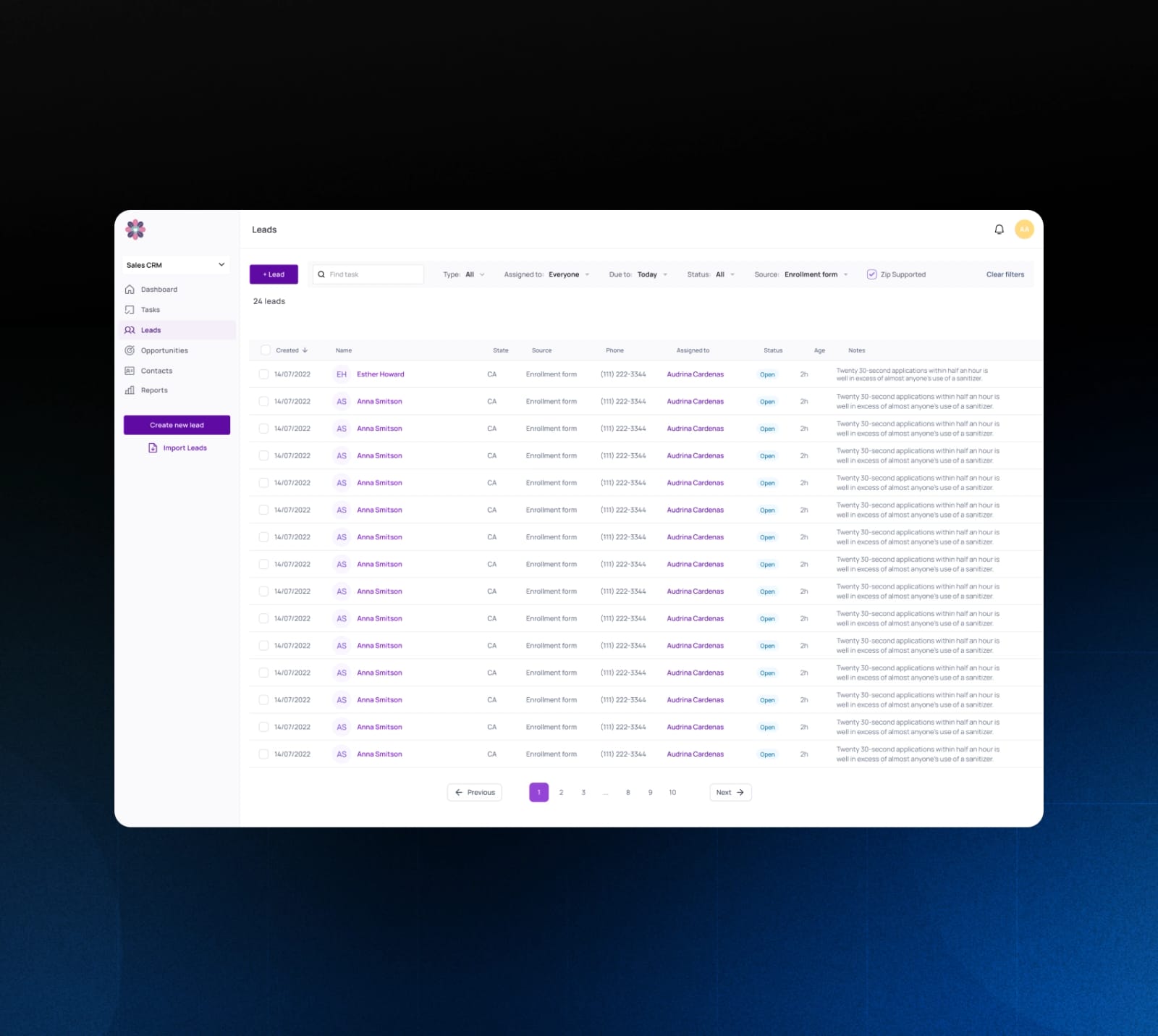
  • Built searchable account views with filters by date, status, assignee and source, plus a full interaction timeline and document history per account
  • Added insurance-specific reporting: AEP/OEP success rates, monthly lead and opportunity counts, lead-to-closed and opportunity-to-closed ratios
  • Deployed on the client's private server, which eliminated recurring monthly SaaS fees; the client pays only for hosting and maintenance
  • Iterated the user interface several times at the client's request to maximize usability

The project at a glance

Users
Insurance agents and their managers
Account stages
Lead, Opportunity, Contact
Statuses
Open pending, closed/won, overdue, rejected, not qualified
Access
Least privilege, password rotation, logout after 15 idle minutes
Reports
AEP and OEP success rates, monthly leads and opportunities, close ratios
Hosting
The company's private server

How it works

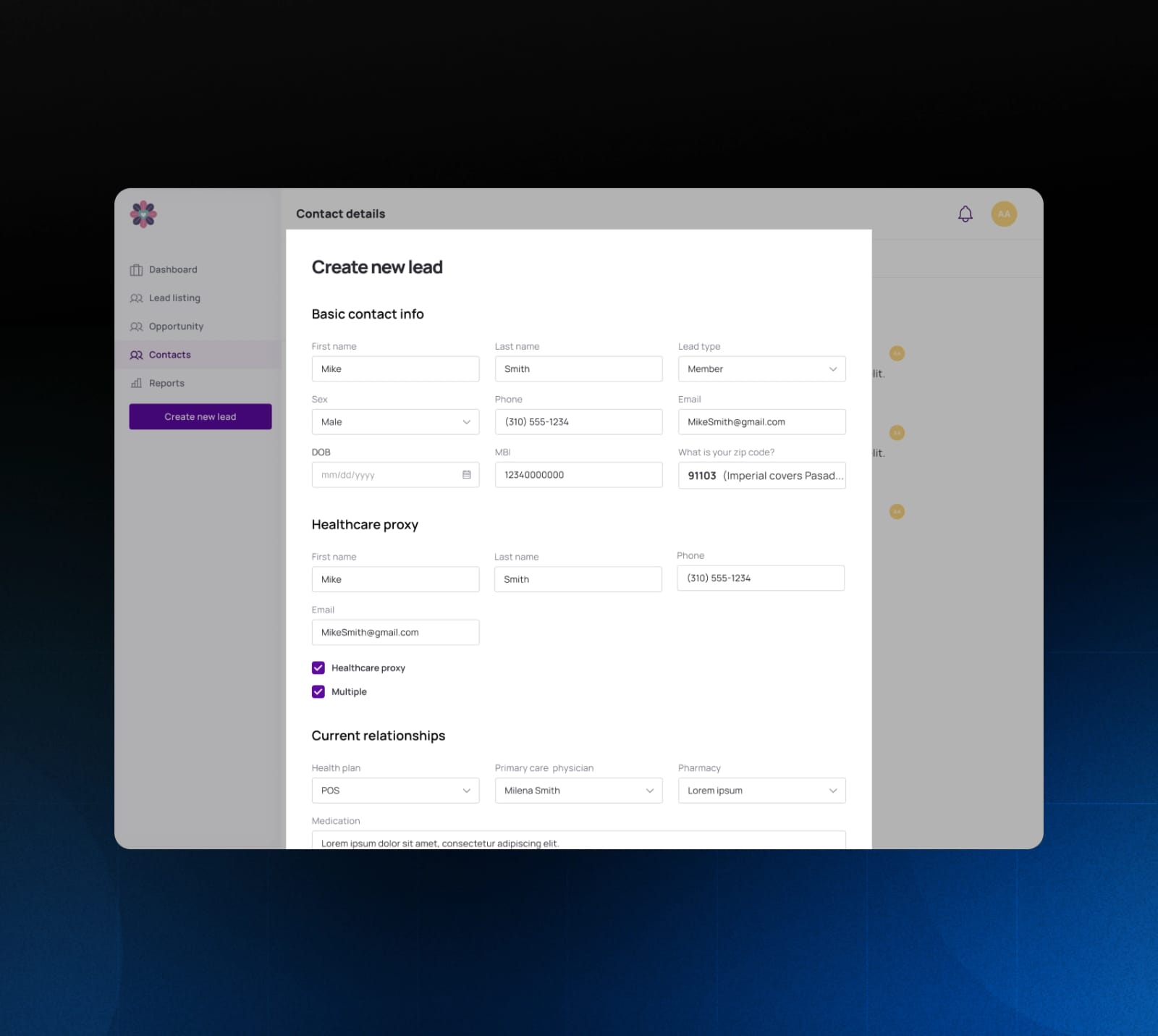
Create new lead form with contact, healthcare proxy and relationship fields
1

Two ways to create a lead

Leads sign up through an online form on the company's website, which also records their consent to process their contact details. Agents can enter a lead by hand too, with fields such as the Medicare beneficiary identifier, healthcare proxy, health plan, primary care physician and pharmacy.
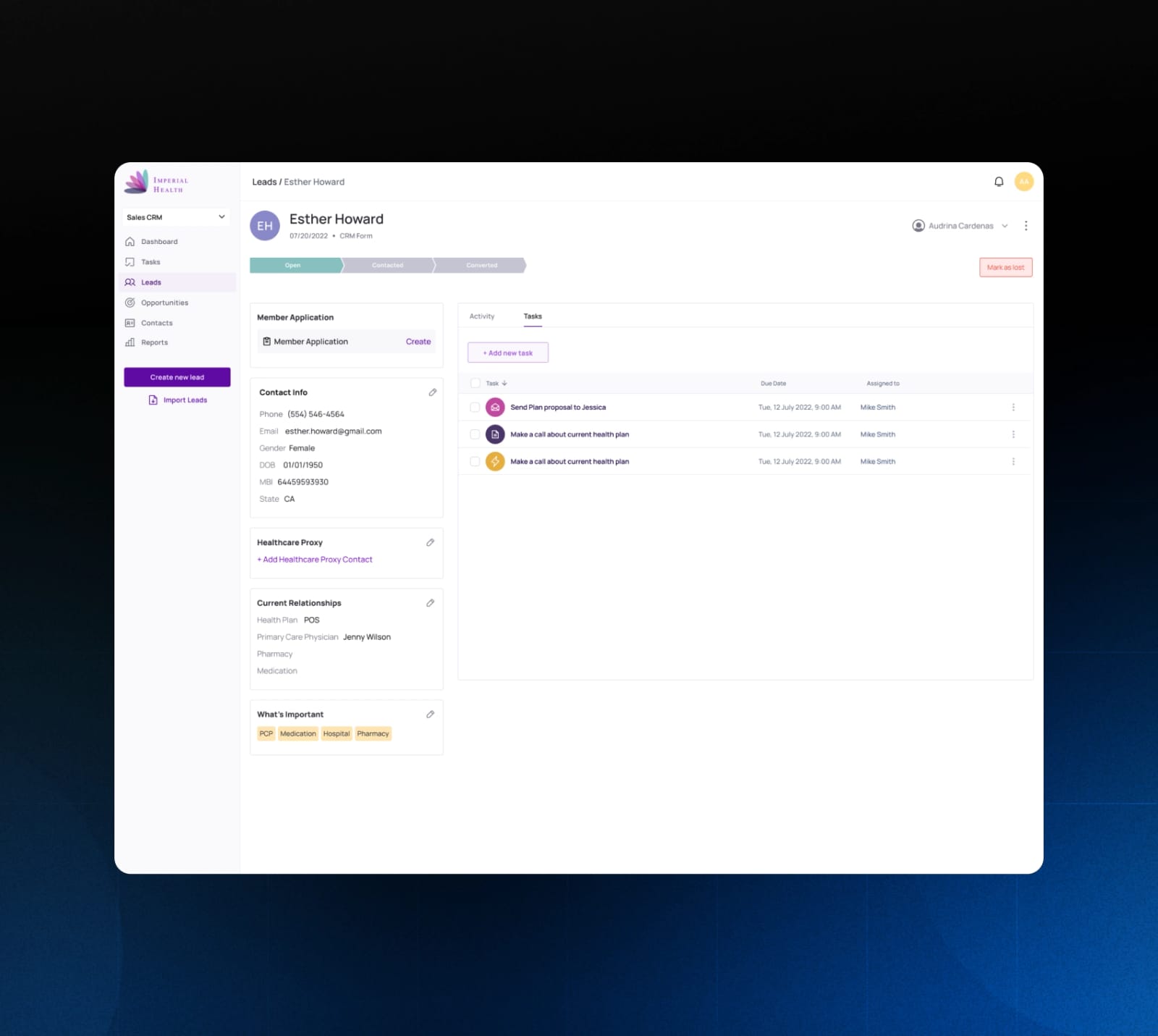
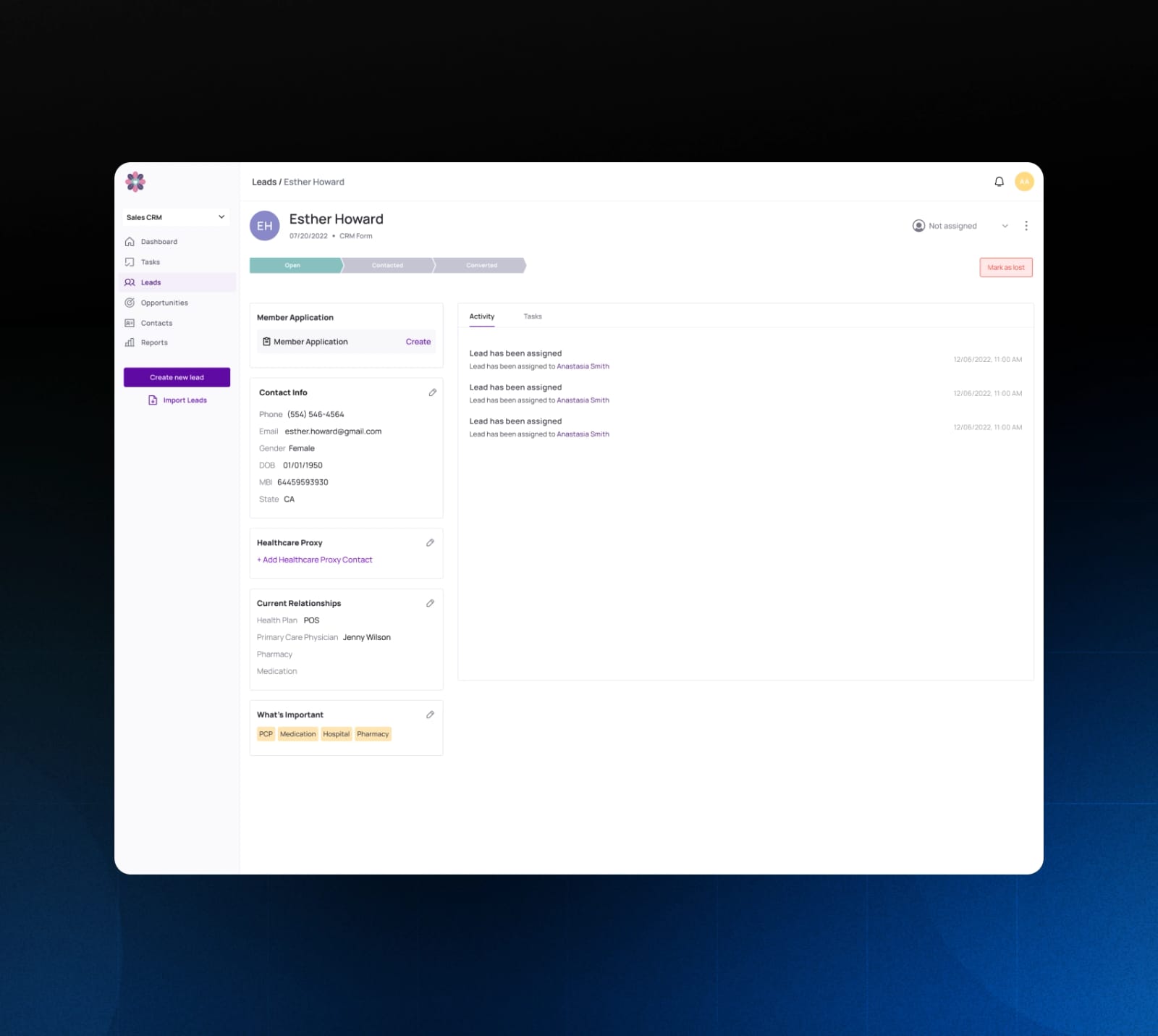
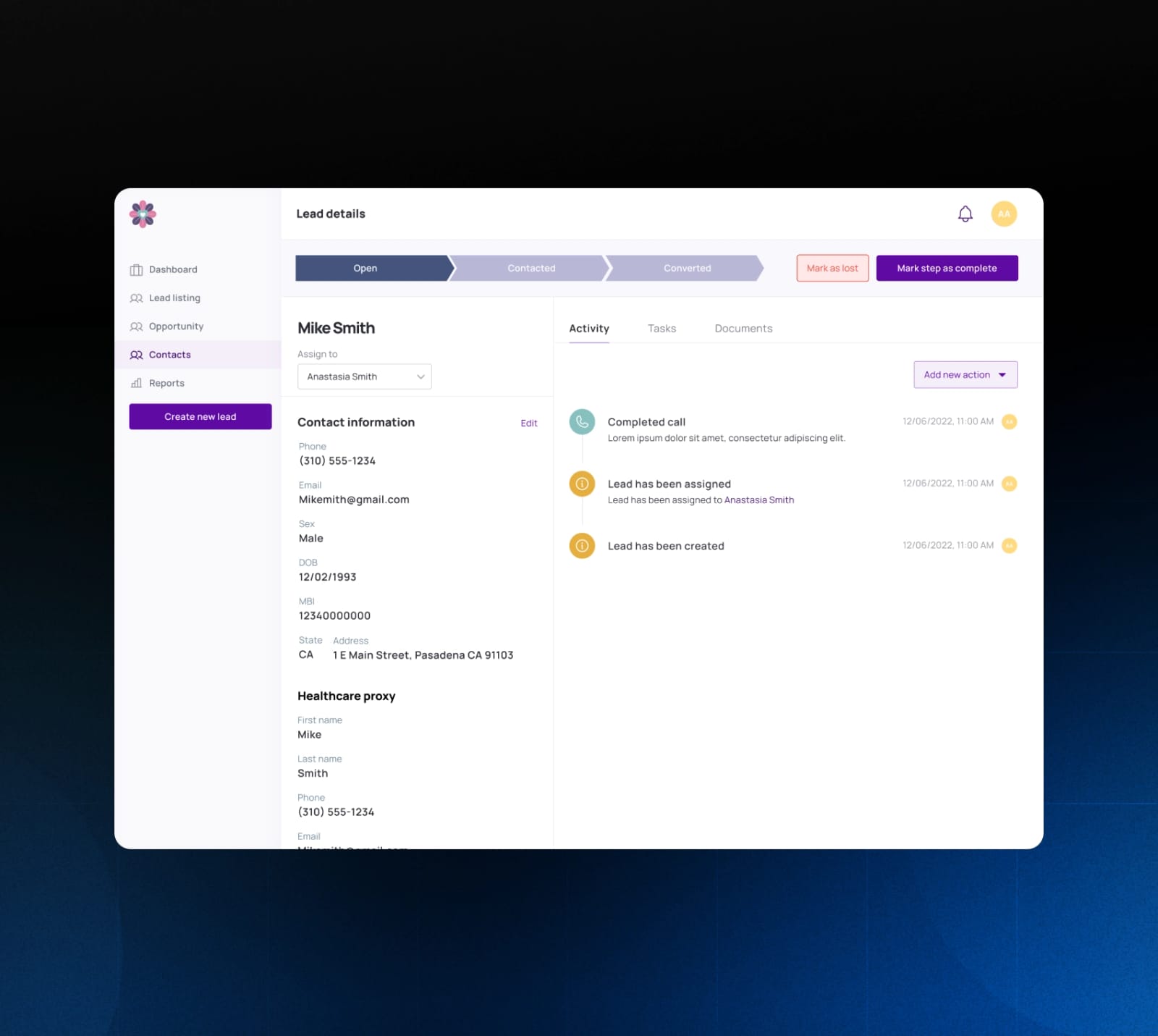
Account page with a list of tasks and communications
2

Tasks and communication on every account

A manager assigns each website lead to an agent as an open account, and the agent reaches out by phone or email. The system schedules, assigns and tracks these tasks and their results, and keeps the shared documents with the account.

Account page with the lead status pipeline bar
3

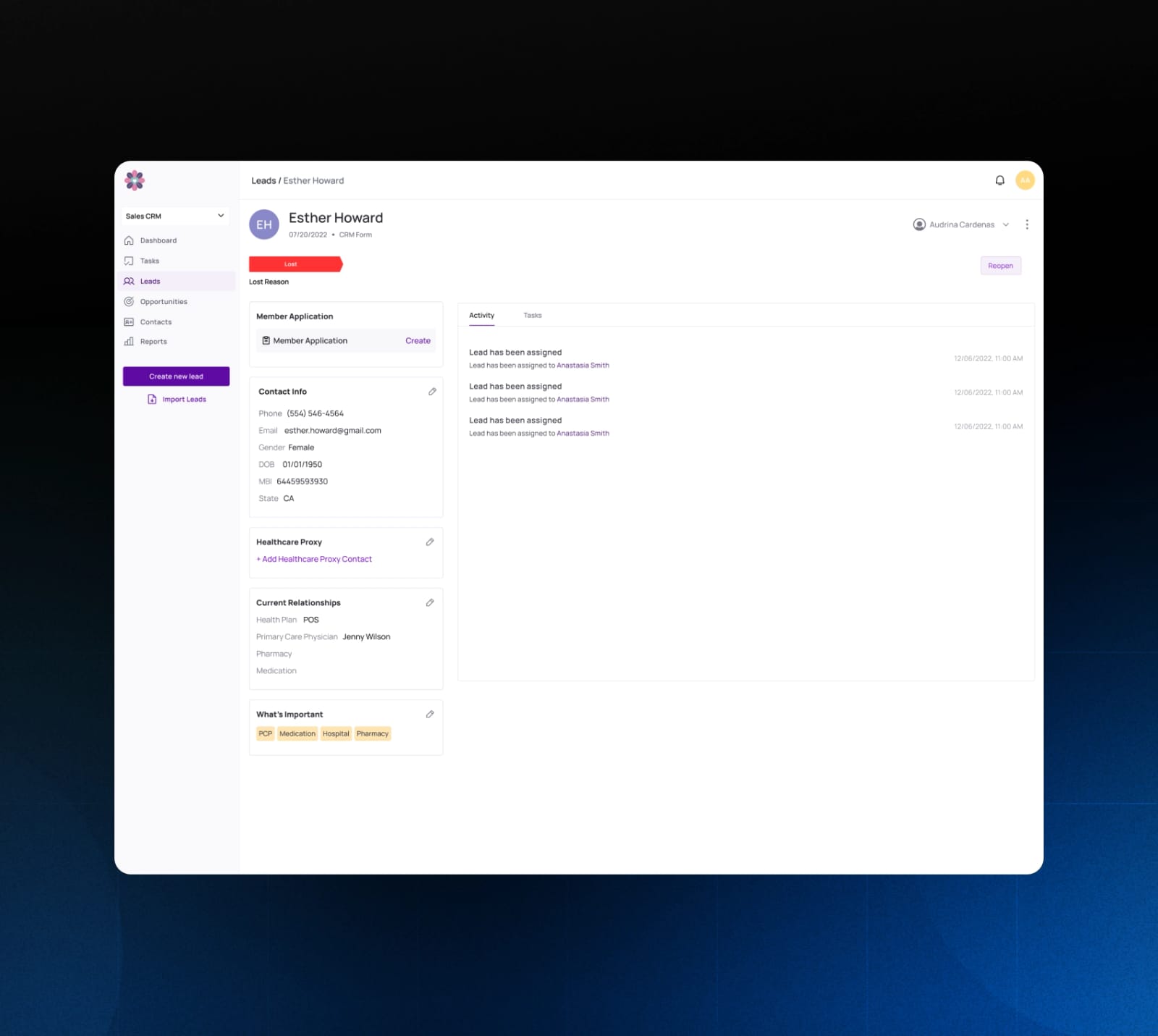
Status indicators

As agents work a lead, they mark when they contact it and when they convert it, or mark the account as lost. The status bar on each account shows where it stands.

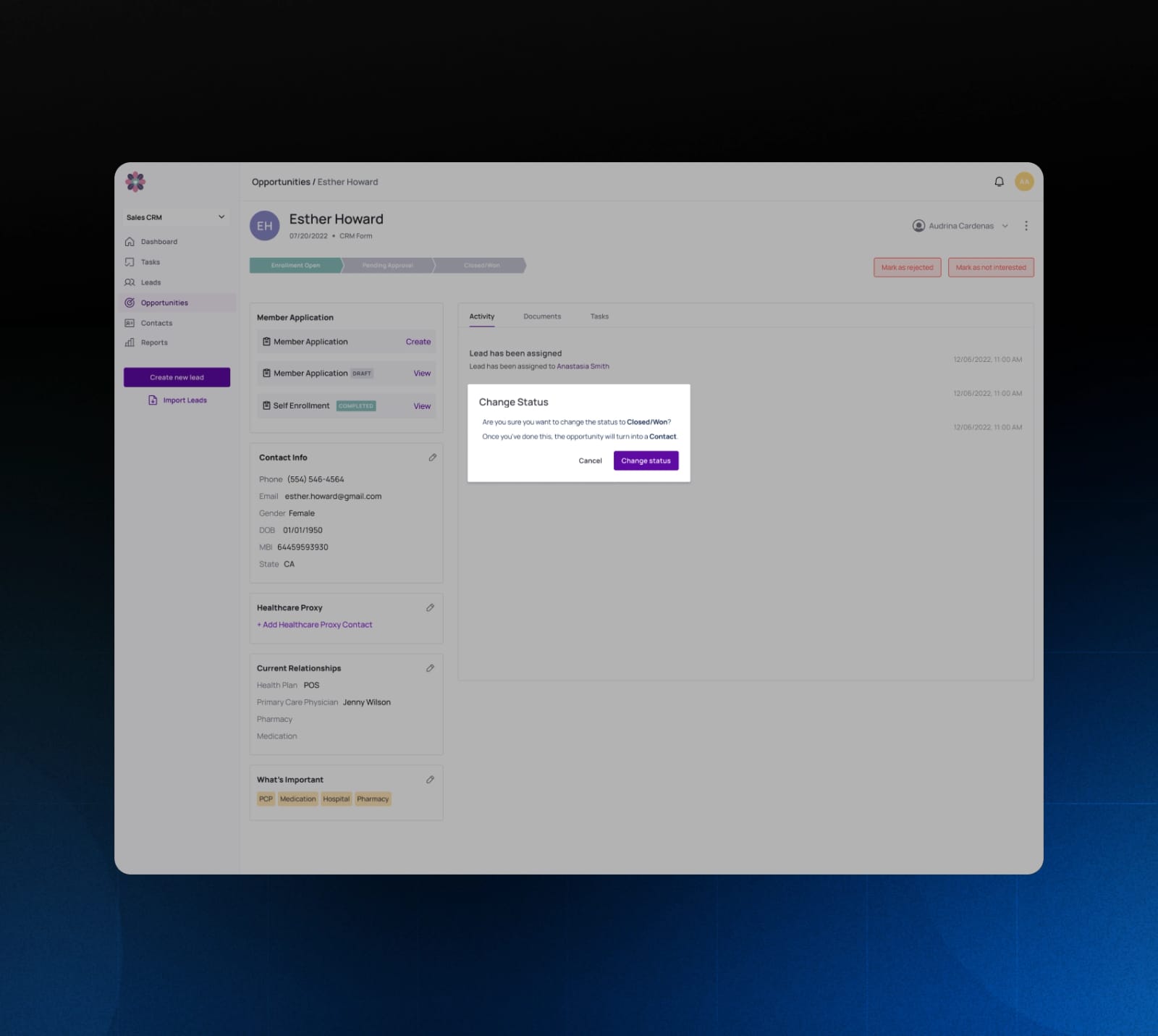
Opportunity page with a Change Status dialog that turns the opportunity into a Contact
4

From lead to customer

A lead moves through the pipeline from Lead to Opportunity, and from Opportunity to Contact, a customer who bought a health plan. Marking an opportunity Closed/Won turns it into a Contact.

Leads table with filters and pagination
5

Search and filters

Leads, Opportunities and Contacts each have their own page. Agents search accounts by name and filter them by date, status, assignee and source.

Inside the Custom CRM for Health Insurance

Technology

  • CakePHP
  • PostgreSQL
  • Angular
  • Figma